Vous avez configuré une boutique WooCommerce, connecté une passerelle de paiement et commencé à traiter les commandes. À un moment donné, peut-être de la part d'un processeur de paiement ou d'un audit de sécurité, quelqu'un a mentionné la conformité PCI. Maintenant, il y a des acronymes comme DSS, SAQ, QSA et ROC à trier, et il n'est pas immédiatement clair lesquels s'appliquent réellement.
La réalité pour la plupart des petits propriétaires de boutiques est plus simple qu'il n'y paraît au premier abord. Mais "simple" ne signifie pas "facultatif", et l'environnement d'hébergement sur lequel une boutique fonctionne est plus important que ce que beaucoup de gens comprennent.
Ce guide explique le fonctionnement des niveaux de conformité PCI, ce qu'ils exigent des commerçants et ce qu'il faut rechercher chez un fournisseur d'hébergement.
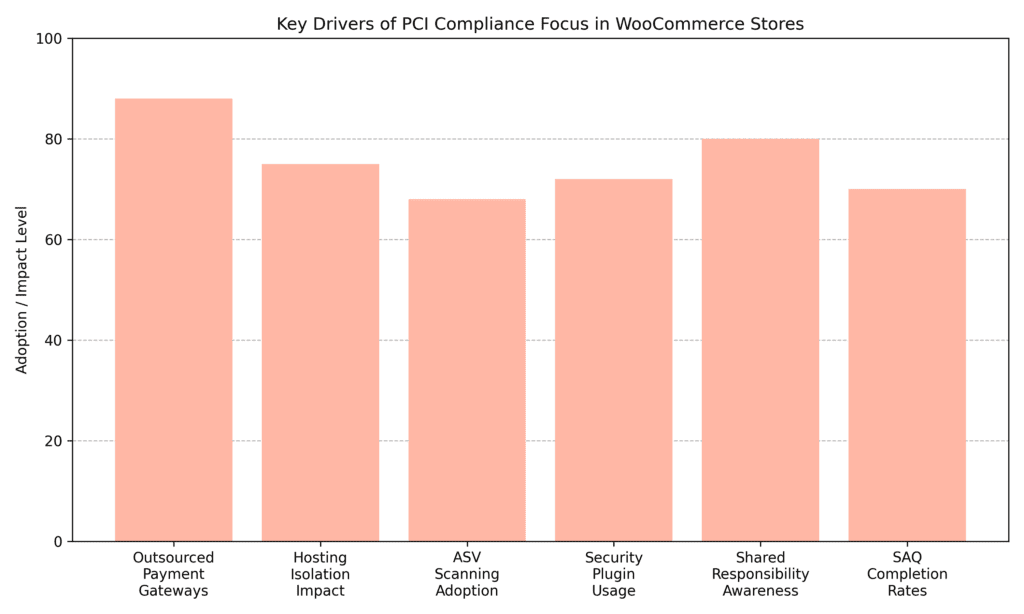
Pour la plupart des commerçants WooCommerce, la question pratique n'est pas de savoir si la norme PCI s'applique ; il s'agit de savoir quelle partie du fardeau de la conformité leur incombe réellement. La plupart des petits commerçants s'appuient sur des passerelles de paiement externalisées pour minimiser leur exposition, tandis que l'isolement de l'hébergement et l'adoption de plugins de sécurité restent des facteurs de soutien importants.
PCI DSS signifie Payment Card Industry Data Security Standard. Il s'agit d'un cadre créé par les principales marques de cartes pour garantir que toute entreprise acceptant les paiements par carte protège correctement les données de paiement des clients. Si une boutique WooCommerce traite des transactions par carte de crédit ou de débit sous quelque forme que ce soit, le PCI DSS s'applique, quelle que soit sa taille ou son volume de ventes mensuel.
Même lorsqu'une entreprise ne voit jamais physiquement le numéro de carte d'un client, elle fait toujours partie de la chaîne de paiement. Dès qu'un site Web collecte, transmet ou redirige des données de titulaire de carte, il entre dans le périmètre PCI. La conformité ne concerne pas la taille de l'entreprise ; il s'agit de réduire le risque de fraude, de violations de données et de responsabilité financière. Si un magasin accepte les paiements par carte en ligne, la conformité PCI n'est pas facultative. C'est une partie intégrante de l'exploitation responsable et sécurisée.
La norme PCI DSS divise les commerçants en quatre niveaux de conformité basés principalement sur le nombre de transactions par carte traitées annuellement. Bien que le volume des transactions soit le facteur principal, la banque acquéreuse et le processeur de paiement déterminent finalement la classification officielle. Ces niveaux existent pour adapter les exigences de validation en fonction de l'exposition au risque. Des volumes de transactions plus élevés entraînent une exposition plus large en cas de violation, c'est pourquoi les exigences de validation s'adaptent en conséquence.
Il est important de noter que même le niveau le plus bas n'est pas exempt des exigences PCI DSS. La validation devient simplement moins complexe. Les commerçants peuvent également être déplacés vers un niveau supérieur après une violation ou si leur processeur les juge à risque plus élevé.
Pour la plupart des petites boutiques WooCommerce, le niveau 4 s'applique, ce qui signifie que la conformité est principalement validée par la documentation et des analyses régulières plutôt que par des audits complets sur site. Les obligations spécifiques dépendent toujours fortement de la manière dont le processus de paiement est configuré et si les données du titulaire de carte touchent jamais l'environnement du serveur.
Pour la plupart des petites entreprises de commerce électronique aux niveaux PCI 2 à 4, le Questionnaire d'auto-évaluation (SAQ) est la principale méthode de validation de la conformité. Considérez le SAQ comme une liste de contrôle structurée plutôt qu'un simple formulaire. Il couvre les contrôles de sécurité relatifs à la protection des données, au contrôle d'accès, à la configuration du système et à la gestion des vulnérabilités, et les réponses déterminent si un environnement répond aux normes requises ou nécessite une remédiation avant d'attester de la conformité.
Il existe plusieurs versions de SAQ, et la sélection de la bonne dépend entièrement de la manière dont le processus de paiement traite les données de paiement. La banque acquéreuse ou le processeur de paiement confirme en fin de compte quelle version s'applique à chaque configuration.
Les deux types de SAQ les plus pertinents pour les petites boutiques de commerce électronique sont :
Un point de confusion courant : les commerçants utilisant des champs de paiement intégrés, tels que Stripe Elements ou les champs hébergés de Braintree, supposent parfois qu'ils se qualifient pour le SAQ A, mais, selon la mise en œuvre, le SAQ A-EP peut s'appliquer. Confirmer cela avec un processeur avant de remplir le SAQ peut éviter de remplir le mauvais formulaire entièrement.
L'environnement d'hébergement joue un rôle important dans la détermination de la portée de la conformité PCI. De nombreux propriétaires de boutiques ne se concentrent que sur leur passerelle de paiement, mais les exigences PCI DSS s'étendent également aux serveurs et à l'infrastructure qui supportent le site Web. Si des données de titulaire de carte transitent par l'environnement du serveur, y sont redirigées ou en sont influencées, la configuration de l'hébergement fait partie de l'équation de conformité.
Chaque modèle d'hébergement a ses propres implications en matière de conformité :
Choisir le bon niveau d'hébergement influence directement la complexité des obligations PCI.
De nombreux propriétaires de magasins supposent que si un fournisseur d'hébergement est conforme à la norme PCI, le magasin est automatiquement couvert. Ce n'est pas ainsi que fonctionne la norme PCI DSS. La conformité suit un modèle de responsabilité partagée, ce qui signifie que l'hôte, la passerelle de paiement et le commerçant ont chacun des obligations définies.
Un fournisseur d'hébergement gère la sécurité de l'infrastructure : protection du centre de données, contrôles réseau, renforcement des serveurs et correctifs au niveau du système. Les commerçants restent responsables de la couche applicative. Cela inclut la configuration de WooCommerce, les plugins installés, la gestion des accès utilisateurs et la rapidité avec laquelle les vulnérabilités sont traitées. Un hôte conforme réduit la portée technique, mais n'élimine pas la responsabilité du commerçant acceptant les paiements par carte.
Un exemple pratique : un hébergeur peut gérer les correctifs au niveau du système d'exploitation selon un calendrier, mais si un magasin exécute une version obsolète de WooCommerce ou un plugin vulnérable, cette lacune est de la responsabilité du commerçant, pas de celle de l'hébergeur.
Choisir un hébergeur conforme PCI va au-delà de la simple vérification d'une affirmation marketing sur une page de tarification. Il s'agit de comprendre si le fournisseur prend en charge les exigences techniques et de sécurité spécifiques dans le périmètre de conformité d'un magasin. Voici quelques questions à poser avant de s'inscrire :
Si un hébergeur ne peut pas répondre à ces questions, c'est une raison suffisante pour continuer à chercher.
Pour la plupart des petites boutiques WooCommerce traitant moins de 20 000 transactions e-commerce par an, la conformité PCI ne doit pas être excessivement complexe. La clé est de minimiser la portée de la conformité dès le départ en gardant les données du titulaire de carte hors du serveur, en limitant l'exposition technique et en comprenant clairement quelles exigences s'appliquent au niveau du commerçant.
Une approche pratique pour la plupart des petits magasins comprend :
Garder le flux de paiement simple et l'infrastructure raisonnablement sécurisée réduit à la fois le risque et la charge administrative sans sur-ingénierie de la configuration.
La conformité PCI n'est pas atteinte uniquement par des plugins ; les bons outils aident à renforcer la sécurité au niveau de l'application, à prendre en charge la surveillance et à réduire le risque de conformité.
Passerelle de paiement WooCommerce Stripe
Cette intégration officielle de Stripe permet de sous-traiter entièrement le traitement des cartes à l'infrastructure certifiée PCI de Stripe. Lorsqu'elle est configurée à l'aide de champs hébergés ou d'un paiement redirigé, elle aide la plupart des petits magasins à se qualifier pour le SAQ A en évitant que les données de carte ne soient sur le serveur.
Le plugin WooCommerce officiel de PayPal permet des expériences de paiement hébergées qui réduisent la charge de conformité PCI en gardant les données brutes des titulaires de carte hors du serveur.
Traite de la sécurité au niveau de l'application, qui relève de la responsabilité PCI du commerçant dans le modèle de responsabilité partagée.
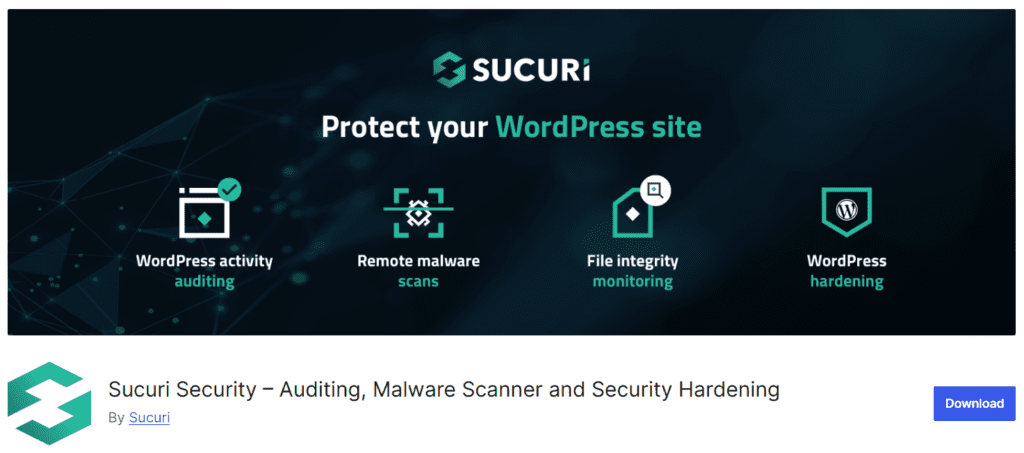
Ajoute la surveillance de l'intégrité des fichiers, l'analyse des logiciels malveillants et le renforcement de la sécurité qui répondent aux exigences PCI DSS pour l'intégrité du système et la détection d'intrusion.
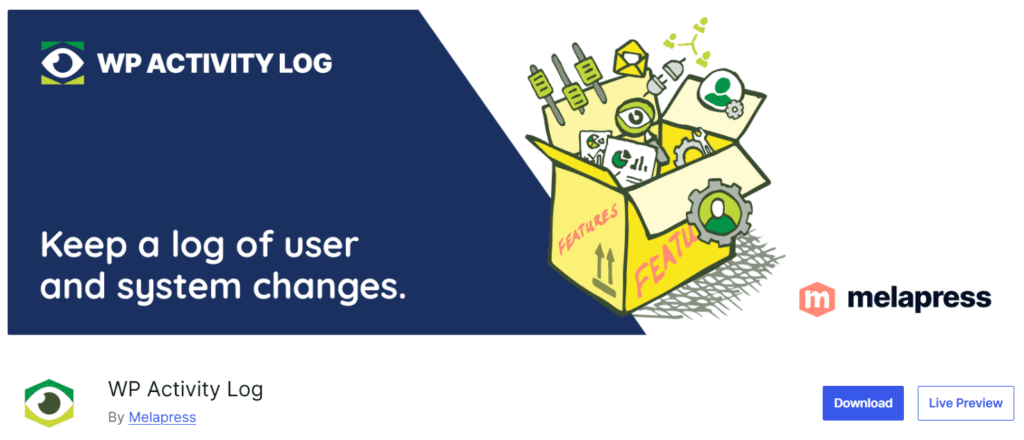
Documente les actions administratives et l'activité des utilisateurs au sein de WordPress et WooCommerce, prenant en charge les exigences PCI DSS relatives au suivi de l'accès aux ressources réseau et aux environnements de données des titulaires de carte.
La conformité PCI ne doit pas être écrasante pour une petite entreprise de commerce électronique. L'erreur la plus courante est de supposer que la passerelle de paiement ou le fournisseur d'hébergement couvre tout. Ni l'un ni l'autre ne le fait. La conformité est partagée entre la passerelle, l'environnement d'hébergement et les choix d'applications du commerçant.
Un point de départ pratique :
Comprendre ce qui est requis et agir en conséquence de manière cohérente, voilà à quoi ressemble réellement la conformité en pratique.