If you run a WooCommerce store, you already know that getting people to your site is only half the battle. The other half is making sure they actually buy something. A lot of factors influence that decision: product selection, pricing, trust signals, photography, but one that often gets overlooked is how fast your store loads.
Hosting speed is not just a technical issue. It directly shapes the experience your customers have from the moment they arrive on a product page to the moment they complete a purchase. When pages load slowly, many potential buyers simply move on, often without you ever knowing.
This article walks through why hosting speed matters for WooCommerce specifically, how it affects different parts of your conversion funnel, and what you can do to improve it in practical terms.
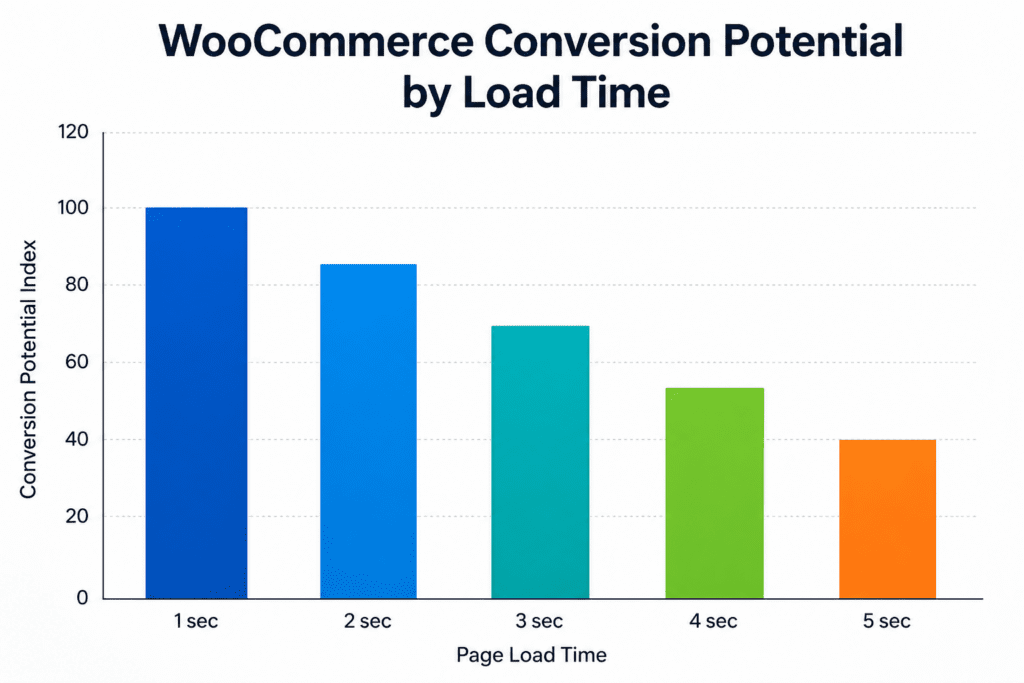
In 2026, WooCommerce hosting speed is no longer a purely technical concern. It has a measurable effect on how customers browse products, add items to cart, and complete checkout. Faster hosting can reduce friction across the buying journey, while slow server response, limited PHP workers, poor caching, and weak database performance can quietly lower conversions and increase cart abandonment.
A standard brochure website is relatively lightweight. It serves mostly static content pages that don't change much between visits. WooCommerce stores are a different situation entirely.
Every product page typically involves dynamic database queries to pull product details, inventory status, pricing, and reviews. Add to that cart sessions, checkout logic, payment gateway connections, plugin scripts, high-resolution product images, and the occasional traffic spike from a sale or promotion, and you have a resource-intensive application running on every page load.
This means your hosting environment tends to matter more for a WooCommerce store than it would for a simple blog or informational website. A shared hosting plan that works fine for a five-page business site may start to struggle when it's powering a store with hundreds of products and dozens of simultaneous customers.
Slow hosting often creates friction at the exact moments when shoppers need confidence and momentum. A delay on product pages can stop people from exploring. A slow cart can introduce hesitation before checkout. Lag during payment or shipping steps can contribute to abandoned orders. These problems may not look dramatic individually, but over many visits, small delays can quietly reduce revenue and erode customer trust.
When a shopper lands on your store and starts browsing, they're forming an impression quickly. Research on site speed and user behavior generally shows that users expect pages to respond within a couple of seconds. If product pages take three, four, or five seconds to load, a meaningful portion of visitors may leave before they've had a chance to see what you're selling.
Even after a visitor finds a product they're interested in, the shopping experience still depends on server responsiveness. Clicking "Add to Cart" triggers a background request to update the cart, and if that request is slow or fails, it can cause confusion and frustration that contribute to abandonment.
The checkout process is where slow performance can be especially costly. Customers who have already decided to buy are still not guaranteed to complete the transaction. A sluggish checkout page, a slow payment form, or a session timeout during processing can result in an abandoned cart at the worst possible moment. Industry research consistently points to checkout performance issues as a common factor in last-step abandonment in ecommerce.
Mobile users tend to be particularly sensitive to delays. A load time that feels tolerable on a desktop connection can feel significantly longer on a phone. Studies on mobile retail performance have found that even modest improvements in load time can correlate with measurable gains in conversion rates. For WooCommerce stores where a large share of traffic comes from mobile, hosting performance can directly affect mobile sales.
Speed also affects how trustworthy your store feels. Slow pages can make a store seem unreliable or poorly maintained, even when the products are excellent. Customers who have a poor experience are less likely to return and less likely to recommend the store to others.
There's a psychological dimension to page speed that's worth understanding. Fast sites feel effortless. Users move from page to page without thinking about what's happening behind the scenes. Slow sites do the opposite; they make the technology visible in a way that breaks the shopping flow and can create doubt.
This doesn't mean that every slow-loading page will cost you a sale. Customers with strong intent will often wait. But casual browsers and first-time visitors are more likely to leave when they encounter friction, and for many stores, those are the customers you most need to convert.
The goal isn't perfection; it's reducing unnecessary friction at each step of the experience so that more of the people who arrive with genuine interest make it all the way through to purchase.
Understanding what affects speed helps you have more informed conversations with your hosting provider and make better decisions about your setup. Here are the main factors that tend to influence WooCommerce performance at the hosting level.
Time to First Byte (TTFB) measures how long it takes your server to begin responding to a request. A high TTFB adds delay to every page load, regardless of how well the rest of the site is optimized. WooCommerce's dynamic content generation makes server response time particularly important to monitor.
WooCommerce runs on PHP, and PHP workers are the processes that handle each request. When you have more simultaneous visitors than available PHP workers, requests queue, which adds waiting time. Stores on entry-level shared hosting often run with limited PHP worker allocations, which can cause slowdowns during busy periods. If you're on shared hosting and notice degraded performance during traffic spikes, this is one of the first things to ask your host about.
Page caching stores pre-built versions of pages so the server doesn't have to regenerate them from scratch for every visitor. Object caching, using tools like Redis or Memcached, stores the results of database queries in memory so they can be retrieved faster the next time they're needed. Both types of caching can make a meaningful difference for WooCommerce stores, though some pages, such as the cart and checkout, should be excluded from page caching because they contain user-specific data that shouldn't be served from a shared cache.
A CDN distributes your site's static assets, images, stylesheets, and scripts across servers in multiple geographic locations. When a customer visits your store, those assets load from the server closest to them, reducing the distance data has to travel. For stores with customers across different regions, a CDN can noticeably reduce latency.
WooCommerce relies heavily on its database for product information, customer data, orders, and more. On slower storage or under-resourced servers, database queries take longer to complete. Hosting that uses NVMe SSD storage tends to handle database reads and writes more efficiently than older SATA-based alternatives. Over time, WooCommerce databases can also accumulate transient data and post revisions. Periodic database cleanup using a plugin like WP-Optimize can help maintain query performance.
Large, unoptimized product images are one of the most common causes of slow page loads in WooCommerce. Images should be compressed and served in modern formats, such as WebP, where possible. This is partly a content management issue and partly a hosting one. Some hosting environments include built-in image optimization tools, while others rely on plugins like ShortPixel or Imagify to handle compression.
Every active plugin adds some overhead to each page load. WooCommerce stores frequently run numerous plugins, payment gateways, shipping calculators, SEO tools, review systems, page builders, and more. Poorly coded plugins or plugin conflicts can add considerable slowdown. A useful diagnostic step is to use a tool like Query Monitor to identify which plugins are adding the most load to each request, then evaluate whether each is actively contributing to the store's functionality.
Sales, promotions, and social media mentions can cause sudden traffic spikes. If your hosting plan can't scale to handle the increased load, performance can degrade exactly when you need it most. Scalable hosting resources, whether through managed VPS, cloud infrastructure, or other solutions, can help your store maintain more consistent performance during peak periods.
There's no single fix that guarantees better sales, but improving several parts of the shopping experience can often reduce friction. Faster hosting, cleaner page layouts, optimized product images, reliable checkout flows, and clear trust signals all work together to make buying easier. When customers can browse smoothly, compare products quickly, and complete checkout without delays, they are more likely to stay engaged and finish their purchase.
If you're evaluating hosting options for your store, focusing on the factors that directly affect the customer experience is more useful than comparing headline specs. The right choice isn't always the cheapest or the most technical; it should give your store enough speed, stability, security, and support to handle real shopping activity without creating extra work for your team.
Not sure whether hosting is contributing to your store's performance issues? It is not always obvious at first. Slow load times, checkout delays, random downtime, or poor performance during traffic spikes can all point to hosting limitations, though they can also have other causes. These issues may affect how customers browse, add products to cart, and complete purchases.
Here are some signs worth investigating:
Any of these on their own may have multiple causes, not all of them hosting-related. But if several apply to your store, it's worth taking a closer look at your hosting environment as a potential contributing factor.
A note on diagnostics: Before making changes, run a speed test on your store using GTmetrix or Google PageSpeed Insights. These tools identify where time is being spent during page loads, in server response times, in render-blocking scripts, in large images, and so on, making it easier to prioritize what to address first. The issue may or may not be hosting-related, but the data helps clarify the picture.
If you've read through this and still aren't sure where your store currently stands, you don't need to make a major change right away. Start with a few practical checks: test your page speed, review checkout performance, monitor uptime, and look at where customers tend to drop off. These steps can help you understand whether hosting may be part of the issue before committing to anything larger.
Choosing the right hosting provider for your WooCommerce store is one of the more important infrastructure decisions you can make. Here is a breakdown of providers with a track record in WordPress and ecommerce hosting, starting with Bright Hosting, which specializes in WooCommerce.
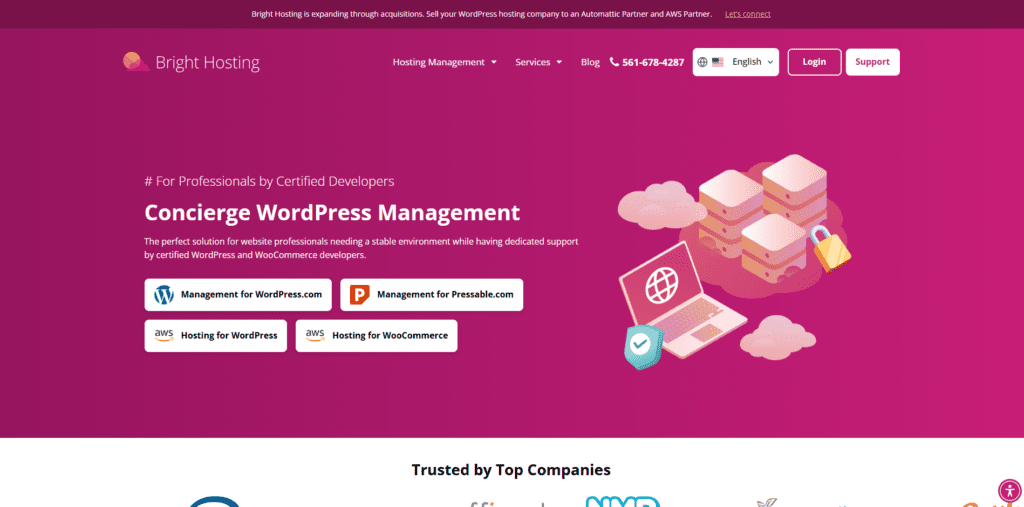
Bright Hosting is a WooCommerce-focused hosting provider built for store owners who need reliable speed, hands-on support, and a hosting environment configured for ecommerce. Unlike general-purpose shared hosts, Bright Hosting prioritizes the technical details that matter most for WooCommerce performance, from PHP worker allocation to server-side caching and NVMe storage. It may be a particularly practical fit for small- to mid-size stores seeking managed performance without enterprise pricing.

SiteGround has built a strong reputation in the WordPress community for its combination of performance, support quality, and developer-friendly features. Their WooCommerce plans include proprietary caching technology, a free CDN, and staging environments, making them a well-rounded option for store owners who want a managed hosting experience at a mid-range price point.
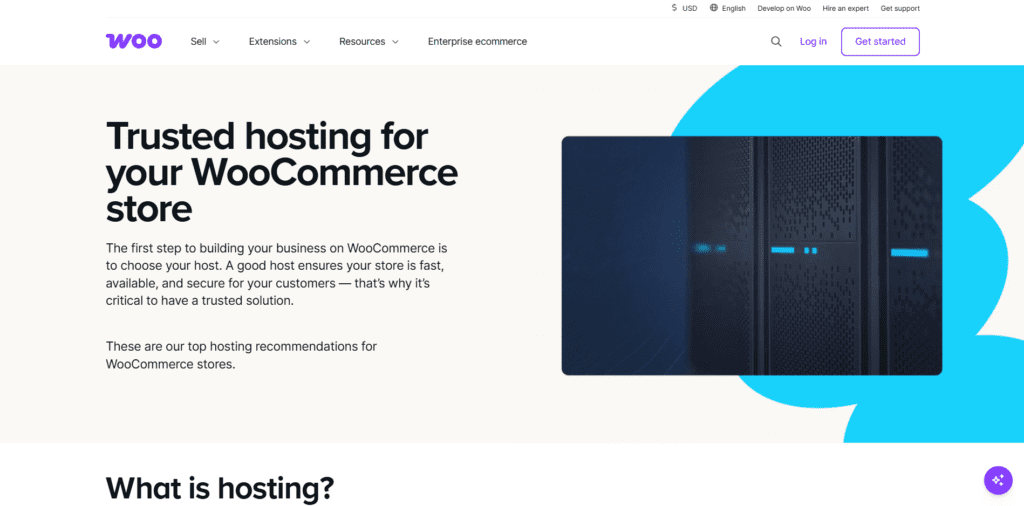
Pressable is the managed WordPress hosting arm backed by Automattic, the company behind WooCommerce itself. Their infrastructure is designed to run WooCommerce smoothly, with tight integration between the hosting layer and the platform. It may be a good fit for stores that want to stay close to the WooCommerce ecosystem.
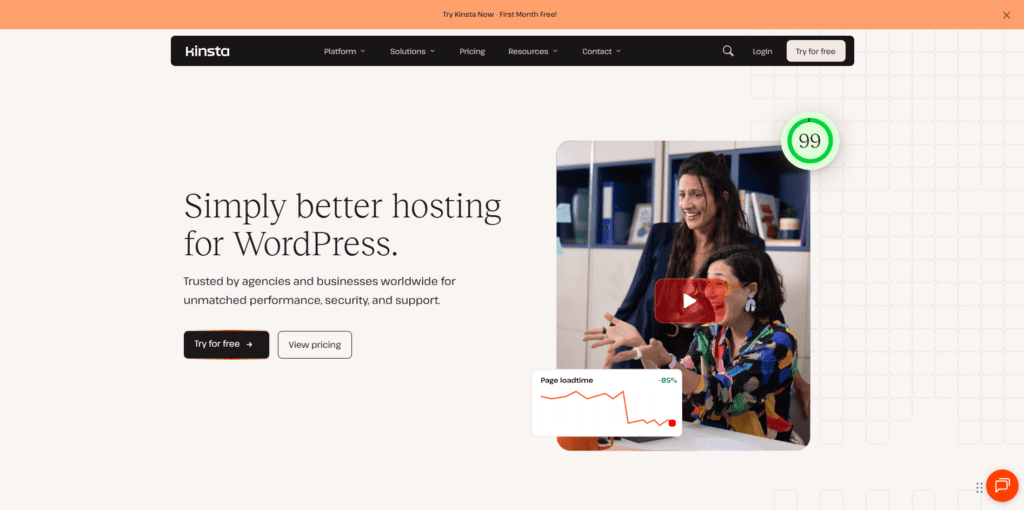
Kinsta is a premium managed WordPress host running on Google Cloud Platform infrastructure. Their architecture uses container-based isolation, which means each site gets dedicated resources rather than competing with others on the same server. For high-traffic WooCommerce stores or businesses that need consistent performance under load, Kinsta is one of the more technically capable options in this category.
WP Engine is one of the longest-standing managed WordPress hosts and a common choice for established stores that want enterprise-grade infrastructure without having to manage it in-house. Their EverCache technology and global CDN are built with ecommerce performance in mind, and their platform includes dedicated WooCommerce tooling across all plans.
Hosting performance is easy to overlook when product updates, marketing campaigns, and customer service feel more immediate. But it plays a consistent role in how smoothly customers move through your store. When pages load slowly, images lag, or checkout is delayed, shoppers may lose patience before completing a purchase.
Improving hosting performance can help reduce friction across the buying journey, supporting better browsing, smoother cart activity, and a more dependable checkout experience, particularly during busy periods or promotional campaigns. Over time, these kinds of improvements can contribute to stronger customer trust and more consistent store growth.
A practical starting point is to test your current store performance using tools like PageSpeed Insights or GTmetrix. These tools can surface issues such as slow server response times, large images, and unused scripts. From there, you can decide whether small optimizations address the main issues or whether it makes sense to evaluate different hosting options.