Bright Hostingは買収を通じて拡大しています。WordPress ホスティング会社を Automattic パートナーと AWS パートナーに販売します。
つながろう
ロゴ bright hosting

ブラックフライデーがやってきました!20%オフ すべてのプラン

クーポン: ブラックフライデー20オフ
PCIコンプライアンス ホスティングレベルの理解とその意味

PCIコンプライアンス:ホスティングレベルの理解とその意味

コンテンツ

You set up a WooCommerce store, connected a payment gateway, and started processing orders. At some point, maybe from a payment processor or a security audit, someone mentioned PCI compliance. Now there are acronyms like DSS, SAQ, QSA, and ROC to sort through, and it's not immediately clear which ones actually apply.

The reality for most small store owners is simpler than it first appears. But "simpler" doesn't mean "optional," and the hosting environment a store runs on matters more than many people understand.

This guide explains how PCI compliance levels work, what they require of merchants, and what to look for in a hosting provider.

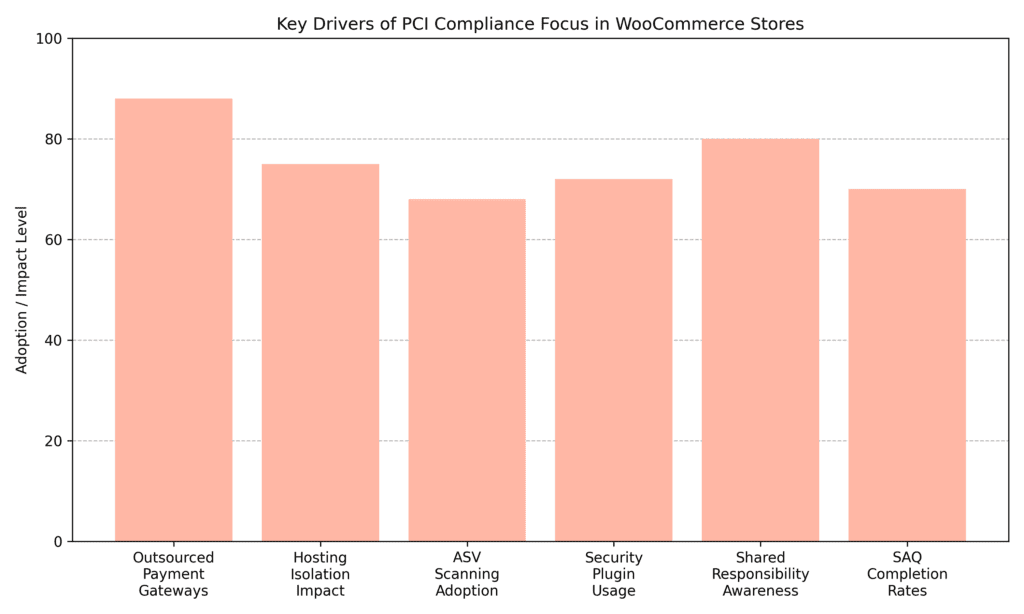
PCI Compliance Trends

ほとんどのWooCommerceマーチャントにとって、PCIが適用されるかどうかという実用的な問題ではなく、コンプライアンスの負担が実際にどれだけ彼らにかかるかという問題です。ほとんどの中小規模マーチャントは、アウトソーシングされた決済ゲートウェイに依存してエクスポージャーを最小限に抑えていますが、ホスティングの分離とセキュリティプラグインの導入は、引き続き重要なサポート要因となります。

What Is PCI Compliance, and Why Does It Apply to You?

PCI DSS stands for the Payment Card Industry Data Security Standard. It's a framework created by the major card brands to ensure that any business accepting card payments properly protects customer payment data. If a WooCommerce store processes credit or debit card transactions in any form, PCI DSS applies, regardless of size or monthly sales volume.

Even when a business never physically sees a customer's card number, it's still part of the payment chain. The moment a website collects, transmits, or redirects cardholder data, it falls within PCI scope. Compliance isn't about being a large enterprise; it's about reducing the risk of fraud, data breaches, and financial liability. If a store accepts card payments online, PCI compliance is not optional. It's part of operating responsibly and securely.

The Four PCI Merchant Compliance Levels

PCI DSS divides merchants into four compliance levels based primarily on the number of card transactions processed annually. While transaction volume is the main factor, the acquiring bank and payment processor ultimately determine official classification. These levels exist to scale validation requirements according to risk exposure. Higher transaction volumes carry broader breach exposure, which is why validation requirements scale accordingly.

Importantly, even the lowest level is not exempt from PCI DSS requirements. Validation simply becomes less complex. Merchants can also be moved to a higher level after a breach or if their processor deems them higher risk.

  • Level 1: More than 6 million card transactions per year across all channels, or any merchant that has suffered a data breach. Requires an annual on-site audit by a Qualified Security Assessor (QSA), a detailed Report on Compliance (ROC), quarterly external vulnerability scans by an Approved Scanning Vendor (ASV), and annual penetration testing.
  • Level 2: Between 1 million and 6 million transactions per year. Requires an annual Self-Assessment Questionnaire (SAQ), quarterly ASV scans, and, in some cases, QSA attestation depending on the acquiring bank.
  • Level 3: 20,000 to 1 million eCommerce transactions annually. Requires an annual SAQ, quarterly ASV scans, and an Attestation of Compliance (AOC).
  • Level 4: Fewer than 20,000 eCommerce transactions per year, which covers most small online stores. Requires an annual SAQ, quarterly ASV scans as required by the acquiring bank, and an Attestation of Compliance.

For most small WooCommerce stores, Level 4 applies, meaning compliance is primarily validated through documentation and regular scanning rather than full on-site audits. Specific obligations still depend heavily on how checkout is configured and whether cardholder data ever touches the server environment.

What Is a Self-Assessment Questionnaire?

PCIレベル2から4のほとんどの中小規模eコマースビジネスにとって、自己評価質問票(SAQ)はコンプライアンスを検証する主要な方法です。SAQは、単純なフォームというよりは、構造化されたチェックリストと考えてください。データ保護、アクセス制御、システム構成、脆弱性管理にわたるセキュリティ管理を網羅しており、回答によって環境が必要な基準を満たしているか、またはコンプライアンスを証明する前に是正が必要かが決まります。

There are multiple SAQ versions, and selecting the correct one depends entirely on how the checkout process handles payment data. The acquiring bank or payment processor ultimately confirms which version applies to each setup.

The two most relevant SAQ types for small eCommerce stores are:

  • SAQ A:支払い処理をPCI準拠のサードパーティに完全にアウトソースし、自社のシステムでカード会員データを保存、処理、または送信しないマーチャント向けです。これは最もシンプルでスコープの小さいオプションです。
  • SAQ A-EP: For merchants who outsource payment processing but whose website still plays a role in directing or hosting payment data, such as embedding or hosting a payment form. This version includes additional security requirements because the website environment remains in scope.

One common point of confusion: merchants using embedded payment fields, such as Stripe Elements or Braintree's hosted fields, sometimes assume they qualify for SAQ A, but, depending on the implementation, SAQ A-EP may apply. Confirming this with a processor before completing the SAQ can prevent filling out the wrong form entirely.

Where Hosting Fits In

The hosting environment plays a significant role in determining the scope of PCI compliance. Many store owners focus only on their payment gateway, but PCI DSS requirements also extend to the servers and infrastructure supporting the website. If cardholder data passes through, is redirected by, or is influenced by the server environment, the hosting setup becomes part of the compliance equation.

Each hosting model carries its own compliance implications:

  • 共有ホスティング : Multiple websites share the same server resources. Lower cost, but limited isolation. If another site on the server is compromised, the risk can extend to neighboring sites depending on the configuration.
  • VPSホスティング: Provides an isolated virtual environment with greater control over firewalls, updates, and access management, making application-layer compliance easier to manage.
  • 専用ホスティング: A fully isolated physical server offering maximum control and security customization, suited to higher compliance requirements.
  • Managed PCI-Compliant Hosting:パッチ適用、監視、侵入検知、脆弱性管理などのインフラストラクチャレベルのセキュリティ制御が含まれます。これにより技術的な負担は軽減されますが、アプリケーションレイヤーの責任がなくなるわけではありません。

適切なホスティングティアを選択することは、PCI義務の複雑さに直接影響します。

The Shared Responsibility Model

Many store owners assume that if a hosting provider is PCI compliant, the store is automatically covered. That's not how PCI DSS works. Compliance follows a shared responsibility model, meaning the host, the payment gateway, and the merchant each have defined obligations.

A hosting provider handles infrastructure security: data center protection, network controls, server hardening, and system-level patching. Merchants remain responsible for the application layer. That includes how WooCommerce is configured, which plugins are installed, how user access is managed, and whether vulnerabilities are addressed promptly. A compliant host reduces technical scope, but it doesn't remove accountability from the merchant accepting card payments.

A practical example: a host may handle OS-level patching on schedule, but if a store is running an outdated version of WooCommerce or a vulnerable plugin, that gap is the merchant's responsibility, not the host's.

What to Look for in a PCI-Compliant Host

Choosing a PCI-compliant host is about more than checking a marketing claim on a pricing page. It's about understanding whether the provider supports the specific technical and security requirements within a store's compliance scope. Some questions worth asking before signing up:

  • プロバイダーは文書化されたPCI DSS認証を保持していますか? Requesting an Attestation of Compliance (AOC) is the right move. Marketing language isn't sufficient; documented evidence is what matters.
  • What level of isolation does the environment provide? Understanding whether the setup is on shared infrastructure or an isolated environment clarifies how it affects compliance scope.
  • What security features are included? Managed firewalls, intrusion detection, SSL/TLS, DDoS protection, and encrypted backups are all worth confirming.
  • Do they offer vulnerability scanning support? Quarterly ASV scans are a compliance requirement. Some providers include this or facilitate it directly.
  • サポートチームはコンプライアンス関連の問題にどのように対応しますか? If a quarterly scan fails, the provider must respond and assist with remediation within a reasonable timeframe.
  • What are their responsibilities versus the merchant's? A reliable hosting partner can clearly articulate where their obligations end and where the merchant's begin.

If a host can't answer those questions, that's reason enough to keep looking.

ほとんどの中小規模ストアにとって最も簡単な方法

年間20,000件未満のeコマース取引を処理するほとんどの中小規模のWooCommerceストアにとって、PCIコンプライアンスは過度に複雑である必要はありません。鍵は、カード所有者データをサーバーから遠ざけ、技術的な露出を制限し、マーチャントレベルで適用される要件を明確に理解することにより、最初からコンプライアンススコープを最小限に抑えることです。

A practical approach for most small stores includes:

  • Using a fully hosted, PCI-certified payment gateway such as Stripe, PayPal, or Square so card data doesn't touch the server.
  • Confirming the SAQ type with the payment processor or acquiring bank, which is often SAQ A for a fully outsourced checkout.
  • Hosting with a provider that supports PCI-aligned infrastructure security, even when the compliance scope is limited.
  • Completing an annual SAQ and required quarterly ASV scans to maintain documented compliance.

Keeping the payment flow simple and the infrastructure reasonably secure reduces both risk and administrative burden without overengineering the setup.

Recommended WooCommerce Security & PCI Support Plugins

PCI compliance isn't achieved solely through plugins; the right tools help strengthen application-layer security, support monitoring, and reduce compliance risk.

WooCommerce Stripe Payment Gateway

WooCommerce Stripe Payment Gateway

This official Stripe integration allows full outsourcing of card processing to Stripe's PCI-certified infrastructure. When configured using hosted fields or redirect checkout, it helps most small stores qualify for SAQ A by keeping card data off the server.

  • PCIスコープを削減するためのホスト型決済フィールド
  • Apple Pay and Google Pay support
  • 3D Secure and Strong Customer Authentication (SCA)
  • 保存済みカードのトークン化された支払い

WooCommerce PayPal Payments

WooCommerce PayPal Payments

PayPal's official WooCommerce plugin enables hosted checkout experiences that reduce PCI compliance burden by keeping raw cardholder data out of the server.

  • Hosted checkout with off-site processing
  • Pay Later and Venmo support
  • Secure vaulting and tokenization
  • Built-in fraud protection tools

Wordfenceセキュリティ

Wordfenceセキュリティ

Addresses application-layer security, which falls under the merchant's PCI responsibility in the shared responsibility model.

  • Web Application Firewall (WAF)
  • Malware scanning and threat detection
  • Login attempt limiting and two-factor authentication
  • Real-time IP blocking and security event logging

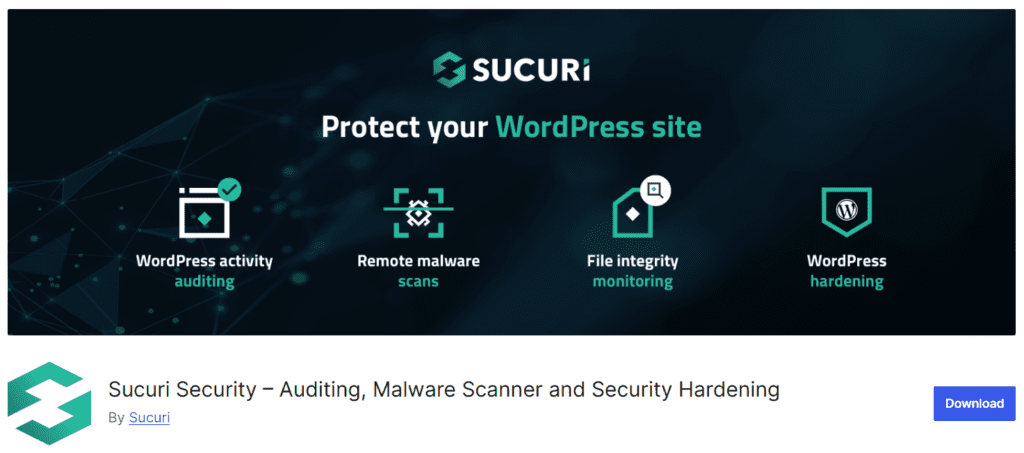
スキュリセキュリティ

スキュリセキュリティ

Adds file integrity monitoring, malware scanning, and security hardening that meet PCI DSS requirements for system integrity and intrusion detection.

  • File integrity monitoring
  • Malware scanning and removal tools
  • セキュリティアクティビティの監査
  • Post-hack remediation support

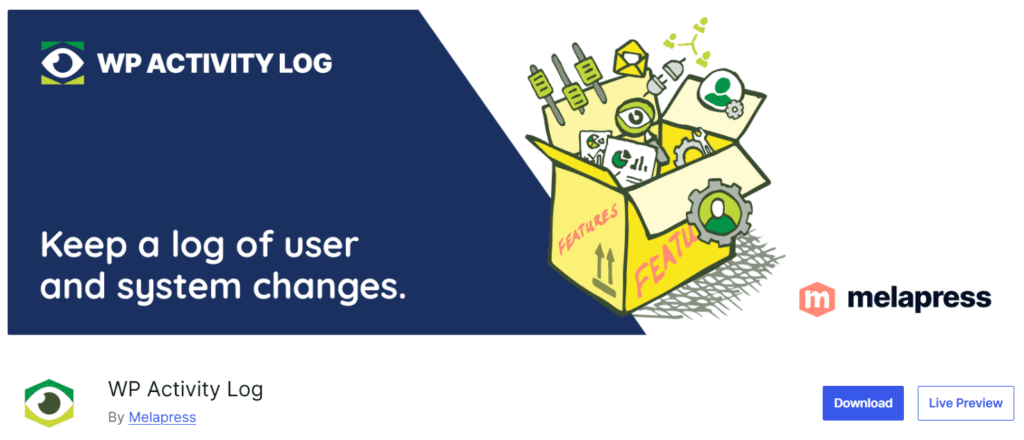
WPアクティビティログ

WPアクティビティログ

Documents administrative actions and user activity within WordPress and WooCommerce, supporting PCI DSS requirements around tracking access to network resources and cardholder data environments.

  • Detailed user and admin activity logging
  • WooCommerce event tracking
  • Role-based monitoring and alerts
  • Log retention management

Taking Control of Your Compliance Requirements

PCI compliance doesn't have to be overwhelming for a small eCommerce business. The most common mistake is assuming either the payment gateway or the hosting provider covers everything. Neither does. Compliance is shared across the gateway, the hosting environment, and the merchant's application choices.

A practical starting point:

  1. Confirm the merchant level and SAQ type with the payment processor or acquiring bank. This single conversation can clarify most of what applies to a specific situation.
  2. Audit the checkout flow. Understanding exactly where card data goes when a customer pays is foundational. If it never touches the server, the scope is narrow. If the site plays any role in passing that data along, its obligations expand.
  3. Review the hosting environment. Ask the current host whether they hold a documented PCI AOC, what security features are included, and what compliance responsibilities remain with the merchant. If those questions can't be answered clearly, that's a useful signal about the provider.
  4. Get quarterly ASV scans scheduled. This is one of the more commonly missed requirements for small stores, and one of the easier ones to address once the right host or vendor is in place.
  5. Complete the annual SAQ. The PCI Security Standards Council provides the forms at pcisecuritystandards.org. Payment processors often have resources to help identify the right version for a given setup.

Understanding what's required and acting on it consistently is what compliance actually looks like in practice.

この記事をお楽しみいただけましたか?
ソーシャルメディアでシェアしましょう!

別のブログ投稿もチェックしてください!

すべてのブログ投稿に戻る
© 2024 著作権 Bright Hosting
下向きシェブロン 左矢印 右矢印